> ## Documentation Index
> Fetch the complete documentation index at: https://nestjs-query.mintlify.site/llms.txt
> Use this file to discover all available pages before exploring further.
# Example
> Let's create a simple todo-item graphql example.
## Set up a new nest app[](#set-up-a-new-nest-app "Direct link to Set up a new nest app")
```bash theme={null}
npm i -g @nestjs/cli
nest new nestjs-query-getting-started
```
## Install Dependencies[](#install-dependencies "Direct link to Install Dependencies")
[Install your packages](/introduction/install).
Be sure to install the correct ORM package!
Install extra dependencies for the example.
```bash theme={null}
npm i pg apollo-server-express
```
## Generate the Module[](#generate-the-module "Direct link to Generate the Module")
From the root of your project run:
```bash theme={null}
npx nest g mo todo-item
```
## Create the Entity[](#create-the-entity "Direct link to Create the Entity")
From the root of your project run:
```bash theme={null}
npx nest g cl todo-item.entity todo-item --flat
```
Now lets fill out the entity.
Add the following to `src/todo-item/todo-item.entity.ts`.
```ts theme={null}
import {
Column,
CreateDateColumn,
Entity,
PrimaryGeneratedColumn,
UpdateDateColumn,
} from 'typeorm'
@Entity()
export class TodoItemEntity {
@PrimaryGeneratedColumn()
id!: string;
@Column()
title!: string;
@Column()
completed!: boolean;
@CreateDateColumn()
created!: Date;
@UpdateDateColumn()
updated!: Date;
}
```
```ts theme={null}
import {
Table,
Column,
Model,
CreatedAt,
UpdatedAt,
PrimaryKey,
AutoIncrement,
} from 'sequelize-typescript'
@Table
export class TodoItemEntity extends Model> {
@PrimaryKey
@AutoIncrement
@Column
id!: number;
@Column
title!: string;
@Column
completed!: boolean;
@CreatedAt
created!: Date;
@UpdatedAt
updated!: Date;
}
```
```ts theme={null}
import { Prop, Schema, SchemaFactory } from '@nestjs/mongoose'
import { Document } from 'mongoose'
@Schema({ timestamps: { createdAt: 'created', updatedAt: 'updated' } })
export class TodoItemEntity extends Document {
@Prop({ required: true })
title!: string;
@Prop()
description?: string;
@Prop({ required: true })
completed!: boolean;
@Prop({ default: Date.now })
created!: Date;
@Prop({ default: Date.now })
updated!: Date;
}
export const TodoItemEntitySchema = SchemaFactory.createForClass(TodoItemEntity)
```
```ts theme={null}
import { ObjectId } from '@ptc-org/nestjs-query-graphql'
import { Base } from '@typegoose/typegoose/lib/defaultClasses'
import { Prop, modelOptions, Ref } from '@typegoose/typegoose'
import { Types } from 'mongoose'
import { SubTaskEntity } from '../sub-task/sub-task.entity'
import { TagEntity } from '../tag/tag.entity'
@modelOptions({
schemaOptions: {
timestamps: { createdAt: 'created', updatedAt: 'updated' },
collection: 'todo-items',
toObject: { virtuals: true },
},
})
export class TodoItemEntity implements Base {
@ObjectId()
_id!: Types.ObjectId
id!: string
@Prop({ required: true })
title!: string;
@Prop()
description?: string;
@Prop({ required: true })
completed!: boolean;
@Prop({ default: Date.now })
created!: Date;
@Prop({ default: Date.now })
updated!: Date;
}
```
## Create the DTO[](#create-the-dto "Direct link to Create the DTO")
The DTO (Data Transfer Object) is used by the resolver to represent incoming requests and outgoing responses.
The DTO is where you can:
* Define fields that should be rendered by graphql.
* Define fields that should be filterable using the `@FilterableField` decorator.
* Define validation that will be used by mutations.
In this example the DTO and entity are two different classes to clearly demonstrate what is required for `graphql` vs the persistence layer. However, you can combine the two into a single class.
From the root of your project run:
```bash theme={null}
npx nest g cl todo-item.dto todo-item --flat
```
Now lets fill out the DTO. Add the following to `src/todo-item/todo-item.dto.ts`.
todo-item/todo-item.dto.ts
```ts theme={null}
import { FilterableField, IDField } from '@ptc-org/nestjs-query-graphql'
import { ObjectType, GraphQLISODateTime, Field, ID } from '@nestjs/graphql'
@ObjectType('TodoItem')
export class TodoItemDTO {
@IDField(() => ID)
id!: number
@FilterableField()
title!: string
@FilterableField()
completed!: boolean
@Field(() => GraphQLISODateTime)
created!: Date
@Field(() => GraphQLISODateTime)
updated!: Date
}
```
Notice the use of `@FilterableField` this will let `@ptc-org/nestjs-query-graphql` know to allow filtering on the corresponding field. If you just use `@Field` then you will not be able to filter on the corresponding field.
## Create the create DTO class.[](#create-the-create-dto-class "Direct link to Create the create DTO class.")
From the previously created DTO, `@ptc-org/nestjs-query-graphql` will automatically create a `CreateTodoItem` graphql type:
```graphql theme={null}
input CreateTodoItem {
id: ID!
title: String!
completed: Boolean!
created: DateTime!
updated: DateTime!
}
```
But in our case, the fields `id`, `created` and `updated` are actually not required when creating a `TodoItem`: they will be autogenerated. We only need to provide `title` and `completed`. To create a DTO that does not require these fields, we can create a custom create DTO:
```bash theme={null}
npx nest g cl todo-item.create.dto todo-item --flat
```
todo-item/todo-item.create.dto.ts
```ts theme={null}
import { Field, InputType } from '@nestjs/graphql'
import { IsBoolean, IsString } from 'class-validator'
@InputType('CreateTodoItem')
export class TodoItemCreateDTO {
@IsString()
@Field()
title!: string
@IsBoolean()
@Field()
completed!: boolean
}
```
## Wire everything up.[](#wire-everything-up "Direct link to Wire everything up.")
Update the `todo-item.module` to set up the `NestjsQueryGraphQLModule` and the entities to provide a `QueryService`.
The `NestjsQueryGraphQLModule` will automatically create a Resolver that will expose the following `queries` and `mutations`:
**Queries**
* `todoItems` - find multiple `TodoItem`s.
* `todoItem` - find one `TodoItem`.
**Mutations**
* `createManyTodoItems` - create multiple `TodoItem`s.
* `createOneTodoItems` - create one `TodoItem`.
* `updateManyTodoItems` - update multiple `TodoItems`.
* `updateOneTodoItems` - update one `TodoItem`.
* `deleteManyTodoItems` - delete multiple `TodoItems`s.
* `deleteOneTodoItems` - delete one `TodoItem`.
```ts theme={null}
import { NestjsQueryGraphQLModule } from '@ptc-org/nestjs-query-graphql';
import { NestjsQueryTypeOrmModule } from '@ptc-org/nestjs-query-typeorm';
import { Module } from '@nestjs/common';
import { TodoItemCreateDTO } from './todo-item.create.dto';
import { TodoItemDTO } from './todo-item.dto';
import { TodoItemEntity } from './todo-item.entity';
@Module({
imports: [
NestjsQueryGraphQLModule.forFeature({
// import the NestjsQueryTypeOrmModule to register the entity with typeorm
// and provide a QueryService
imports: [NestjsQueryTypeOrmModule.forFeature([TodoItemEntity])],
// describe the resolvers you want to expose
resolvers: [
{
EntityClass: TodoItemEntity,
DTOClass: TodoItemDTO,
CreateDTOClass: TodoItemCreateDTO,
},
],
}),
],
})
export class TodoItemModule {}
```
```ts theme={null}
import { NestjsQueryGraphQLModule } from '@ptc-org/nestjs-query-graphql';
import { NestjsQuerySequelizeModule } from '@ptc-org/nestjs-query-sequelize';
import { Module } from '@nestjs/common';
import { TodoItemDTO } from './todo-item.dto';
import { TodoItemEntity } from './todo-item.entity';
@Module({
imports: [
NestjsQueryGraphQLModule.forFeature({
// import the NestjsQuerySequelizeModule to register the entity with sequelize
// and provide a QueryService
imports: [NestjsQuerySequelizeModule.forFeature([TodoItemEntity])],
// describe the resolvers you want to expose
resolvers: [{ DTOClass: TodoItemDTO, EntityClass: TodoItemEntity }],
}),
],
})
export class TodoItemModule {}
```
```ts theme={null}
import { NestjsQueryGraphQLModule } from '@ptc-org/nestjs-query-graphql';
import { NestjsQueryMongooseModule } from '@ptc-org/nestjs-query-mongoose';
import { Module } from '@nestjs/common';
import { TodoItemDTO } from './todo-item.dto';
import { TodoItemEntity, TodoItemEntitySchema } from './todo-item.entity';
@Module({
imports: [
NestjsQueryGraphQLModule.forFeature({
// import the NestjsQueryMongooseModule to register the entity with mongoose
// and provide a QueryService
imports: [
NestjsQueryMongooseModule.forFeature([
{ document: TodoItemEntity, name: TodoItemEntity.name, schema: TodoItemEntitySchema },
]),
],
// describe the resolvers you want to expose
resolvers: [{ DTOClass: TodoItemDTO, EntityClass: TodoItemEntity }],
}),
],
})
export class TodoItemModule {}
```
```ts theme={null}
import { NestjsQueryGraphQLModule } from '@ptc-org/nestjs-query-graphql';
import { Module } from '@nestjs/common';
import { NestjsQueryTypegooseModule } from '@ptc-org/nestjs-query-typegoose';
import { TodoItemDTO } from './dto/todo-item.dto';
import { TodoItemEntity } from './todo-item.entity';
const guards = [AuthGuard];
@Module({
providers: [TodoItemResolver],
imports: [
NestjsQueryGraphQLModule.forFeature({
imports: [NestjsQueryTypegooseModule.forFeature([TodoItemEntity])],
resolvers: [{ DTOClass: TodoItemDTO, EntityClass: TodoItemEntity }],
}),
],
})
export class TodoItemModule {}
```
Next update `app.module` to set up your db connection and the `graphql` nest modules.
```ts theme={null}
import { ApolloDriver, ApolloDriverConfig } from '@nestjs/apollo';
import { Module } from '@nestjs/common';
import { GraphQLModule } from '@nestjs/graphql';
import { TypeOrmModule } from '@nestjs/typeorm';
import { AppController } from './app.controller';
import { AppService } from './app.service';
import { TodoItemModule } from './todo-item/todo-item.module';
@Module({
imports: [
TypeOrmModule.forRoot({
type: 'postgres',
database: 'gettingstarted',
username: 'gettingstarted',
password: 'gettingstarted',
autoLoadEntities: true,
synchronize: true,
logging: true,
}),
GraphQLModule.forRoot({
driver: ApolloDriver,
// set to true to automatically generate schema
autoSchemaFile: true,
}),
TodoItemModule,
],
controllers: [AppController],
providers: [AppService],
})
export class AppModule {}
```
```ts theme={null}
import { ApolloDriver, ApolloDriverConfig } from '@nestjs/apollo';
import { Module } from '@nestjs/common';
import { GraphQLModule } from '@nestjs/graphql';
import { SequelizeModule } from '@nestjs/sequelize';
import { AppController } from './app.controller';
import { AppService } from './app.service';
import { TodoItemModule } from './todo-item/todo-item.module';
@Module({
imports: [
TodoItemModule,
SequelizeModule.forRoot({
dialect: 'postgres',
database: 'gettingstarted',
username: 'gettingstarted',
autoLoadModels: true,
synchronize: true,
logging: true,
}),
GraphQLModule.forRoot({
driver: ApolloDriver,
// set to true to automatically generate schema
autoSchemaFile: true,
}),
],
controllers: [AppController],
providers: [AppService],
})
export class AppModule {}
```
```ts theme={null}
import { ApolloDriver, ApolloDriverConfig } from '@nestjs/apollo';
import { Module } from '@nestjs/common';
import { GraphQLModule } from '@nestjs/graphql';
import { MongooseModule } from '@nestjs/mongoose';
import { AppController } from './app.controller';
import { AppService } from './app.service';
import { TodoItemModule } from './todo-item/todo-item.module';
@Module({
imports: [
MongooseModule.forRoot('mongodb://localhost/nest', options),
GraphQLModule.forRoot({
driver: ApolloDriver,
// set to true to automatically generate schema
autoSchemaFile: true,
}),
TodoItemModule,
],
controllers: [AppController],
providers: [AppService],
})
export class AppModule {}
```
```ts theme={null}
import { ApolloDriver, ApolloDriverConfig } from '@nestjs/apollo';
import { Module } from '@nestjs/common';
import { GraphQLModule } from '@nestjs/graphql';
import { TypegooseModule } from '@m8a/nestjs-typegoose';
import { TodoItemModule } from './todo-item/todo-item.module';
@Module({
imports: [
TypegooseModule.forRoot('mongodb://localhost/nest', options),
GraphQLModule.forRoot({
driver: ApolloDriver,
// set to true to automatically generate schema
autoSchemaFile: true,
}),
TodoItemModule,
],
})
export class AppModule {}
```
**NOTE** For the sake of brevity, the `options` object in the Mongoose and Typegoose examples aren't defined. If you'd like to see full examples of all of the persistence services, please refer to the `./examples` directory in the [source code](https://github.com/tripss/nestjs-query/tree/master/examples).
Create a `compose.yml` file in the root of the project
```yaml theme={null}
services:
postgres:
image: 'postgres:17'
environment:
- 'POSTGRES_USER=gettingstarted'
- 'POSTGRES_DB=gettingstarted'
- 'POSTGRES_PASSWORD=gettingstarted'
expose:
- '5432'
ports:
- '5432:5432'
# only needed if using mongoose
mongo:
image: 'mongo:4.4'
restart: always
ports:
- '27017:27017'
mongo-express:
image: 'mongo-express:latest'
restart: always
ports:
- 8081:8081
```
## Running the Example[](#running-the-example "Direct link to Running the Example")
Start the backing services
```bash theme={null}
docker compose up -d
```
Start the app
```bash theme={null}
npm start
```
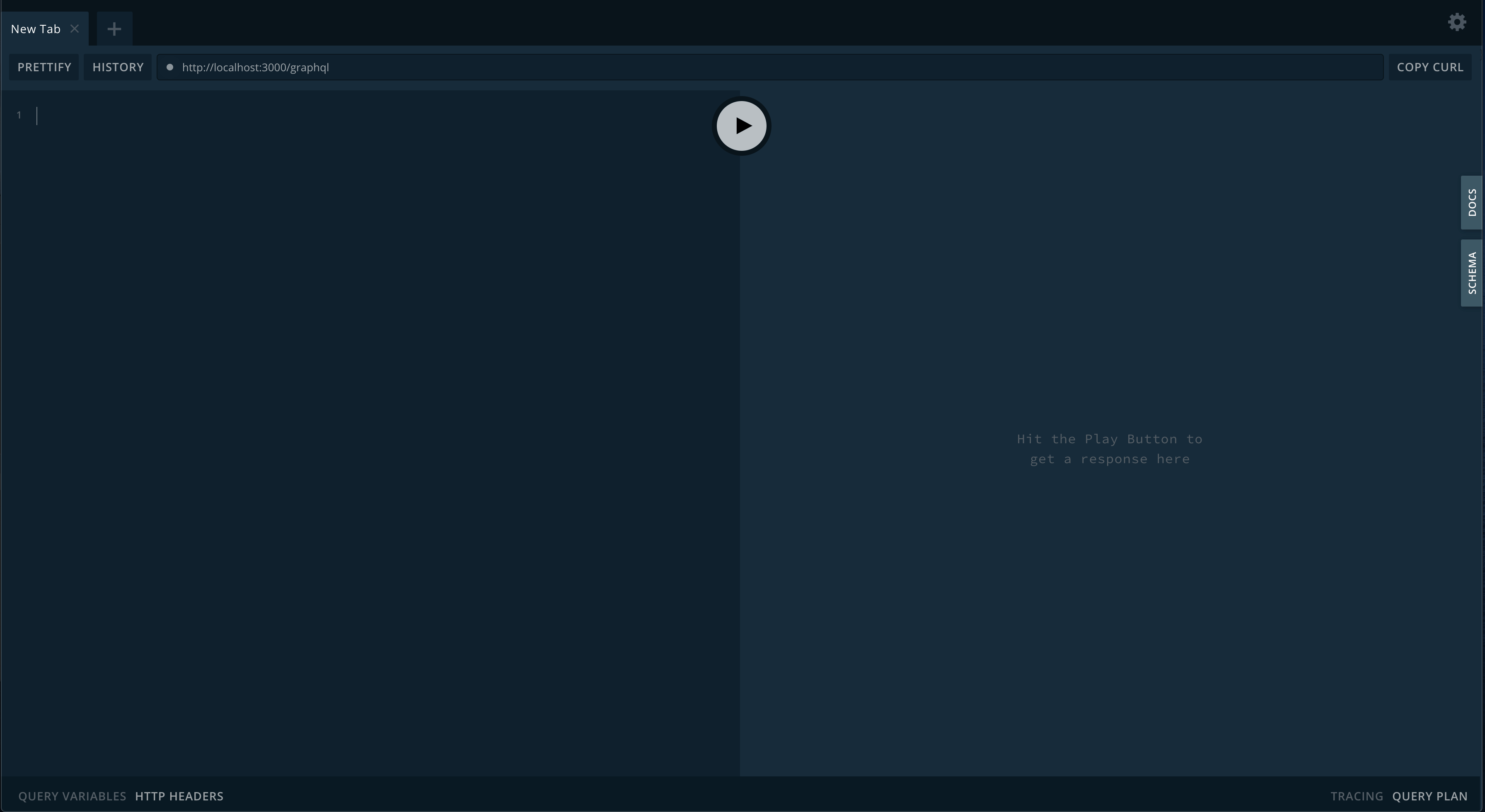
Visit [http://localhost:3000/graphql](http://localhost:3000/graphql) where you should see the playground
 ## Exploring The GraphQL Endpoint[](#exploring-the-graphql-endpoint "Direct link to Exploring The GraphQL Endpoint")
### Create a TodoItem[](#create-a-todoitem "Direct link to Create a TodoItem")
```graphql theme={null}
mutation {
createOneTodoItem(
input: { todoItem: { title: "Create One Todo Item", completed: false } }
) {
id
title
completed
created
updated
}
}
```
```json theme={null}
{
"data": {
"createOneTodoItem": {
"id": "1",
"title": "Create One Todo Item",
"completed": false,
"created": "2020-01-01T00:43:16.000Z",
"updated": "2020-01-01T00:43:16.000Z"
}
}
}
```
### Create Multiple TodoItems[](#create-multiple-todoitems "Direct link to Create Multiple TodoItems")
```graphql theme={null}
mutation {
createManyTodoItems(
input: {
todoItems: [
{ title: "Create Many Todo Items - 1", completed: false }
{ title: "Create Many Todo Items - 2", completed: true }
]
}
) {
id
title
completed
created
updated
}
}
```
```json theme={null}
{
"data": {
"createManyTodoItems": [
{
"id": "2",
"title": "Create Many Todo Items - 1",
"completed": false,
"created": "2020-01-01T00:49:01.000Z",
"updated": "2020-01-01T00:49:01.000Z"
},
{
"id": "3",
"title": "Create Many Todo Items - 2",
"completed": true,
"created": "2020-01-01T00:49:01.000Z",
"updated": "2020-01-01T00:49:01.000Z"
}
]
}
}
```
### Query For Multiple TodoItems[](#query-for-multiple-todoitems "Direct link to Query For Multiple TodoItems")
#### Query for all todo items[](#query-for-all-todo-items "Direct link to Query for all todo items")
```bash theme={null}
{
todoItems {
pageInfo {
hasNextPage
hasPreviousPage
startCursor
endCursor
}
edges {
node {
id
title
completed
created
updated
}
cursor
}
}
}
```
```json theme={null}
{
"data": {
"todoItems": {
"pageInfo": {
"hasNextPage": false,
"hasPreviousPage": false,
"startCursor": "YXJyYXljb25uZWN0aW9uOjA=",
"endCursor": "YXJyYXljb25uZWN0aW9uOjI="
},
"edges": [
{
"node": {
"id": "1",
"title": "Create One Todo Item",
"completed": false,
"created": "2020-01-01T00:43:16.000Z",
"updated": "2020-01-01T00:43:16.000Z"
},
"cursor": "YXJyYXljb25uZWN0aW9uOjA="
},
{
"node": {
"id": "2",
"title": "Create Many Todo Items - 1",
"completed": false,
"created": "2020-01-01T00:49:01.000Z",
"updated": "2020-01-01T00:49:01.000Z"
},
"cursor": "YXJyYXljb25uZWN0aW9uOjE="
},
{
"node": {
"id": "3",
"title": "Create Many Todo Items - 2",
"completed": true,
"created": "2020-01-01T00:49:01.000Z",
"updated": "2020-01-01T00:49:01.000Z"
},
"cursor": "YXJyYXljb25uZWN0aW9uOjI="
}
]
}
}
}
```
#### Query for completed todo items[](#query-for-completed-todo-items "Direct link to Query for completed todo items")
```bash theme={null}
{
todoItems(filter: { completed: { is: true } }) {
pageInfo {
hasNextPage
hasPreviousPage
startCursor
endCursor
}
edges {
node {
id
title
completed
created
updated
}
cursor
}
}
}
```
```json theme={null}
{
"data": {
"todoItems": {
"pageInfo": {
"hasNextPage": false,
"hasPreviousPage": false,
"startCursor": "YXJyYXljb25uZWN0aW9uOjA=",
"endCursor": "YXJyYXljb25uZWN0aW9uOjA="
},
"edges": [
{
"node": {
"id": "3",
"title": "Create Many Todo Items - 2",
"completed": true,
"created": "2020-01-01T00:49:01.000Z",
"updated": "2020-01-01T00:49:01.000Z"
},
"cursor": "YXJyYXljb25uZWN0aW9uOjA="
}
]
}
}
}
```
### Query For One TodoItem[](#query-for-one-todoitem "Direct link to Query For One TodoItem")
#### Query by id[](#query-by-id "Direct link to Query by id")
```graphql theme={null}
{
todoItem(id: 1) {
id
title
completed
created
updated
}
}
```
```json theme={null}
{
"data": {
"todoItem": {
"id": "1",
"title": "Create One Todo Item",
"completed": false,
"created": "2020-01-13T06:19:17.543Z",
"updated": "2020-01-13T06:19:17.543Z"
}
}
}
```
### Update a TodoItem[](#update-a-todoitem "Direct link to Update a TodoItem")
Lets update the completed `TodoItem` we created earlier to not be completed.
```graphql theme={null}
mutation {
updateOneTodoItem(input: { id: 3, update: { completed: false } }) {
id
title
completed
created
updated
}
}
```
```json theme={null}
{
"data": {
"updateOneTodoItem": {
"id": "3",
"title": "Create Many Todo Items - 2",
"completed": false,
"created": "2020-01-13T09:19:46.727Z",
"updated": "2020-01-13T09:23:37.658Z"
}
}
}
```
### Update Multiple TodoItems[](#update-multiple-todoitems "Direct link to Update Multiple TodoItems")
Lets update the completed `TodoItem` we created earlier to not be completed.
```graphql theme={null}
mutation {
updateManyTodoItems(
input: { filter: { id: { in: [1, 2] } }, update: { completed: true } }
) {
updatedCount
}
}
```
```json theme={null}
{
"data": {
"updateManyTodoItems": {
"updatedCount": 2
}
}
}
```
You can check this by running the completed query from above.
### Delete One TodoItem[](#delete-one-todoitem "Direct link to Delete One TodoItem")
Lets update delete the first `TodoItem`.
```graphql theme={null}
mutation {
deleteOneTodoItem(input: { id: 1 }) {
id
title
completed
created
updated
}
}
```
```json theme={null}
{
"data": {
"deleteOneTodoItem": {
"id": null,
"title": "Create One Todo Item",
"completed": true,
"created": "2020-01-13T09:44:41.176Z",
"updated": "2020-01-13T09:44:54.822Z"
}
}
}
```
### Delete Many TodoItems[](#delete-many-todoitems "Direct link to Delete Many TodoItems")
Lets update delete the create many todo items `TodoItem` using a filter.
```graphql theme={null}
mutation {
deleteManyTodoItems(
input: { filter: { title: { like: "Create Many Todo Items%" } } }
) {
deletedCount
}
}
```
```json theme={null}
{
"data": {
"deleteManyTodoItems": {
"deletedCount": 2
}
}
}
```
[Edit this page](https://github.com/tripss/nestjs-query/edit/master/docs/introduction/example)
## Exploring The GraphQL Endpoint[](#exploring-the-graphql-endpoint "Direct link to Exploring The GraphQL Endpoint")
### Create a TodoItem[](#create-a-todoitem "Direct link to Create a TodoItem")
```graphql theme={null}
mutation {
createOneTodoItem(
input: { todoItem: { title: "Create One Todo Item", completed: false } }
) {
id
title
completed
created
updated
}
}
```
```json theme={null}
{
"data": {
"createOneTodoItem": {
"id": "1",
"title": "Create One Todo Item",
"completed": false,
"created": "2020-01-01T00:43:16.000Z",
"updated": "2020-01-01T00:43:16.000Z"
}
}
}
```
### Create Multiple TodoItems[](#create-multiple-todoitems "Direct link to Create Multiple TodoItems")
```graphql theme={null}
mutation {
createManyTodoItems(
input: {
todoItems: [
{ title: "Create Many Todo Items - 1", completed: false }
{ title: "Create Many Todo Items - 2", completed: true }
]
}
) {
id
title
completed
created
updated
}
}
```
```json theme={null}
{
"data": {
"createManyTodoItems": [
{
"id": "2",
"title": "Create Many Todo Items - 1",
"completed": false,
"created": "2020-01-01T00:49:01.000Z",
"updated": "2020-01-01T00:49:01.000Z"
},
{
"id": "3",
"title": "Create Many Todo Items - 2",
"completed": true,
"created": "2020-01-01T00:49:01.000Z",
"updated": "2020-01-01T00:49:01.000Z"
}
]
}
}
```
### Query For Multiple TodoItems[](#query-for-multiple-todoitems "Direct link to Query For Multiple TodoItems")
#### Query for all todo items[](#query-for-all-todo-items "Direct link to Query for all todo items")
```bash theme={null}
{
todoItems {
pageInfo {
hasNextPage
hasPreviousPage
startCursor
endCursor
}
edges {
node {
id
title
completed
created
updated
}
cursor
}
}
}
```
```json theme={null}
{
"data": {
"todoItems": {
"pageInfo": {
"hasNextPage": false,
"hasPreviousPage": false,
"startCursor": "YXJyYXljb25uZWN0aW9uOjA=",
"endCursor": "YXJyYXljb25uZWN0aW9uOjI="
},
"edges": [
{
"node": {
"id": "1",
"title": "Create One Todo Item",
"completed": false,
"created": "2020-01-01T00:43:16.000Z",
"updated": "2020-01-01T00:43:16.000Z"
},
"cursor": "YXJyYXljb25uZWN0aW9uOjA="
},
{
"node": {
"id": "2",
"title": "Create Many Todo Items - 1",
"completed": false,
"created": "2020-01-01T00:49:01.000Z",
"updated": "2020-01-01T00:49:01.000Z"
},
"cursor": "YXJyYXljb25uZWN0aW9uOjE="
},
{
"node": {
"id": "3",
"title": "Create Many Todo Items - 2",
"completed": true,
"created": "2020-01-01T00:49:01.000Z",
"updated": "2020-01-01T00:49:01.000Z"
},
"cursor": "YXJyYXljb25uZWN0aW9uOjI="
}
]
}
}
}
```
#### Query for completed todo items[](#query-for-completed-todo-items "Direct link to Query for completed todo items")
```bash theme={null}
{
todoItems(filter: { completed: { is: true } }) {
pageInfo {
hasNextPage
hasPreviousPage
startCursor
endCursor
}
edges {
node {
id
title
completed
created
updated
}
cursor
}
}
}
```
```json theme={null}
{
"data": {
"todoItems": {
"pageInfo": {
"hasNextPage": false,
"hasPreviousPage": false,
"startCursor": "YXJyYXljb25uZWN0aW9uOjA=",
"endCursor": "YXJyYXljb25uZWN0aW9uOjA="
},
"edges": [
{
"node": {
"id": "3",
"title": "Create Many Todo Items - 2",
"completed": true,
"created": "2020-01-01T00:49:01.000Z",
"updated": "2020-01-01T00:49:01.000Z"
},
"cursor": "YXJyYXljb25uZWN0aW9uOjA="
}
]
}
}
}
```
### Query For One TodoItem[](#query-for-one-todoitem "Direct link to Query For One TodoItem")
#### Query by id[](#query-by-id "Direct link to Query by id")
```graphql theme={null}
{
todoItem(id: 1) {
id
title
completed
created
updated
}
}
```
```json theme={null}
{
"data": {
"todoItem": {
"id": "1",
"title": "Create One Todo Item",
"completed": false,
"created": "2020-01-13T06:19:17.543Z",
"updated": "2020-01-13T06:19:17.543Z"
}
}
}
```
### Update a TodoItem[](#update-a-todoitem "Direct link to Update a TodoItem")
Lets update the completed `TodoItem` we created earlier to not be completed.
```graphql theme={null}
mutation {
updateOneTodoItem(input: { id: 3, update: { completed: false } }) {
id
title
completed
created
updated
}
}
```
```json theme={null}
{
"data": {
"updateOneTodoItem": {
"id": "3",
"title": "Create Many Todo Items - 2",
"completed": false,
"created": "2020-01-13T09:19:46.727Z",
"updated": "2020-01-13T09:23:37.658Z"
}
}
}
```
### Update Multiple TodoItems[](#update-multiple-todoitems "Direct link to Update Multiple TodoItems")
Lets update the completed `TodoItem` we created earlier to not be completed.
```graphql theme={null}
mutation {
updateManyTodoItems(
input: { filter: { id: { in: [1, 2] } }, update: { completed: true } }
) {
updatedCount
}
}
```
```json theme={null}
{
"data": {
"updateManyTodoItems": {
"updatedCount": 2
}
}
}
```
You can check this by running the completed query from above.
### Delete One TodoItem[](#delete-one-todoitem "Direct link to Delete One TodoItem")
Lets update delete the first `TodoItem`.
```graphql theme={null}
mutation {
deleteOneTodoItem(input: { id: 1 }) {
id
title
completed
created
updated
}
}
```
```json theme={null}
{
"data": {
"deleteOneTodoItem": {
"id": null,
"title": "Create One Todo Item",
"completed": true,
"created": "2020-01-13T09:44:41.176Z",
"updated": "2020-01-13T09:44:54.822Z"
}
}
}
```
### Delete Many TodoItems[](#delete-many-todoitems "Direct link to Delete Many TodoItems")
Lets update delete the create many todo items `TodoItem` using a filter.
```graphql theme={null}
mutation {
deleteManyTodoItems(
input: { filter: { title: { like: "Create Many Todo Items%" } } }
) {
deletedCount
}
}
```
```json theme={null}
{
"data": {
"deleteManyTodoItems": {
"deletedCount": 2
}
}
}
```
[Edit this page](https://github.com/tripss/nestjs-query/edit/master/docs/introduction/example)